
AI Presentation Maker: How to Build Slides and Pitch Decks with AI

An AI presentation maker won't give you a finished deck. It speeds up the slow work that comes before design: turning a messy brief into a slide-by-slide outline, cutting copy down to slide size, drafting speaker notes and making backgrounds that don't look like stock photos. The layout, the facts and the story for your audience are still your job.
The workflow: a text model writes the structure and copy, an image model makes the visuals and a research model finds market data. You check everything at the end. To start now, create a presentation with AI and use the prompts below as you go.
What an AI presentation maker does (and what you still do yourself)
What the model does well:
- turns notes, a report or a call transcript into an outline
- rewrites paragraphs as a headline and three short bullets
- drafts speaker notes that don't repeat the slide
- makes backgrounds and title visuals in one style
What stays with you:
- the layout in PowerPoint, Google Slides or Keynote. You get text and images back, and you build the slides in your editor
- every number, name and date on a slide
- the order of the argument. A board, an investor and a sales prospect each need a different deck
The workflow: from brief to deck in five steps
- Outline. Your brief or source document goes in, and you get one line per slide back.
- Copy. A headline, bullets and speaker notes for each slide, written in the same chat.
- Visuals. One style prompt that you reuse for every image.
- Assembly. Paste the copy and images into your slide editor and fix the layout.
- Check. Compare numbers against the source, compare style across all slides, then do a timed read-through of the notes.
Step 1: Turn your brief or document into a slide-by-slide outline
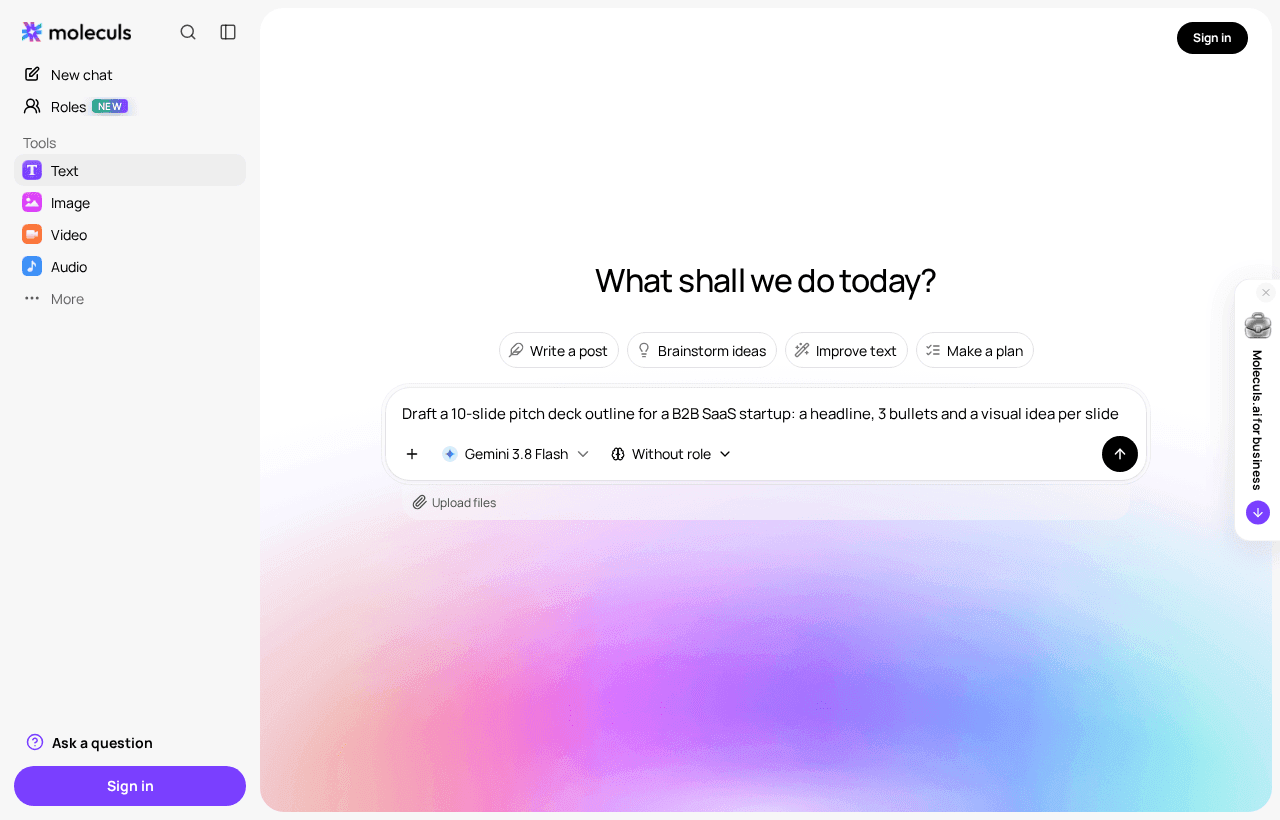
Attach your source material instead of retelling it. Claude Opus 5.5 and Gemini 3.1 Pro both accept files and images: up to 20 images for Opus and up to 16 for Gemini. Build the prompt from four parts: role, task, format and constraints.
Role: You are a presentation editor who builds decks for executive audiences.
Task: Using the attached document, draft an outline for a 12-slide deck
for our quarterly board review.
Format: For each slide give a number, a headline that states the takeaway
as a full sentence, and one line on the evidence behind it.
Constraints: One idea per slide. Use only figures from the document.
If a figure is missing, write [NEED DATA] instead of estimating.
Ask me up to 3 questions first if the goal is unclear.To test the outline, read only the headlines, top to bottom. If they tell the story on their own, the structure is done. If two headlines say the same thing, or one just says "Overview", send them back.
Run the prompt twice and compare the two versions. If both are weak, look at the brief first. Add who the audience is, what decision you want from them and how long you have, then run it again.
Step 2: Write slide copy that fits on a slide: headlines, bullets, speaker notes
Rough sizes that still read on a projector:
- a headline of 10 words or fewer
- up to 3 bullets of about 10 words each
- speaker notes of 60-90 words, which is about 30 seconds of speaking
Give the model these numbers. "Keep it short" doesn't work as an instruction.
For slides 1-12 of the outline above, write:
- Headline: max 10 words, states the takeaway.
- Bullets: max 3, max 10 words each, no full sentences.
- Speaker notes: 60-90 words, adding context the slide doesn't show.
Don't repeat bullet text in the notes. Keep all [NEED DATA] markers.You can stay in the same chat, or paste the approved outline into an AI text generator and start fresh. Read the notes aloud with a timer. If one slide runs over a minute, split it.
Step 3: Generate backgrounds, illustrations and title visuals
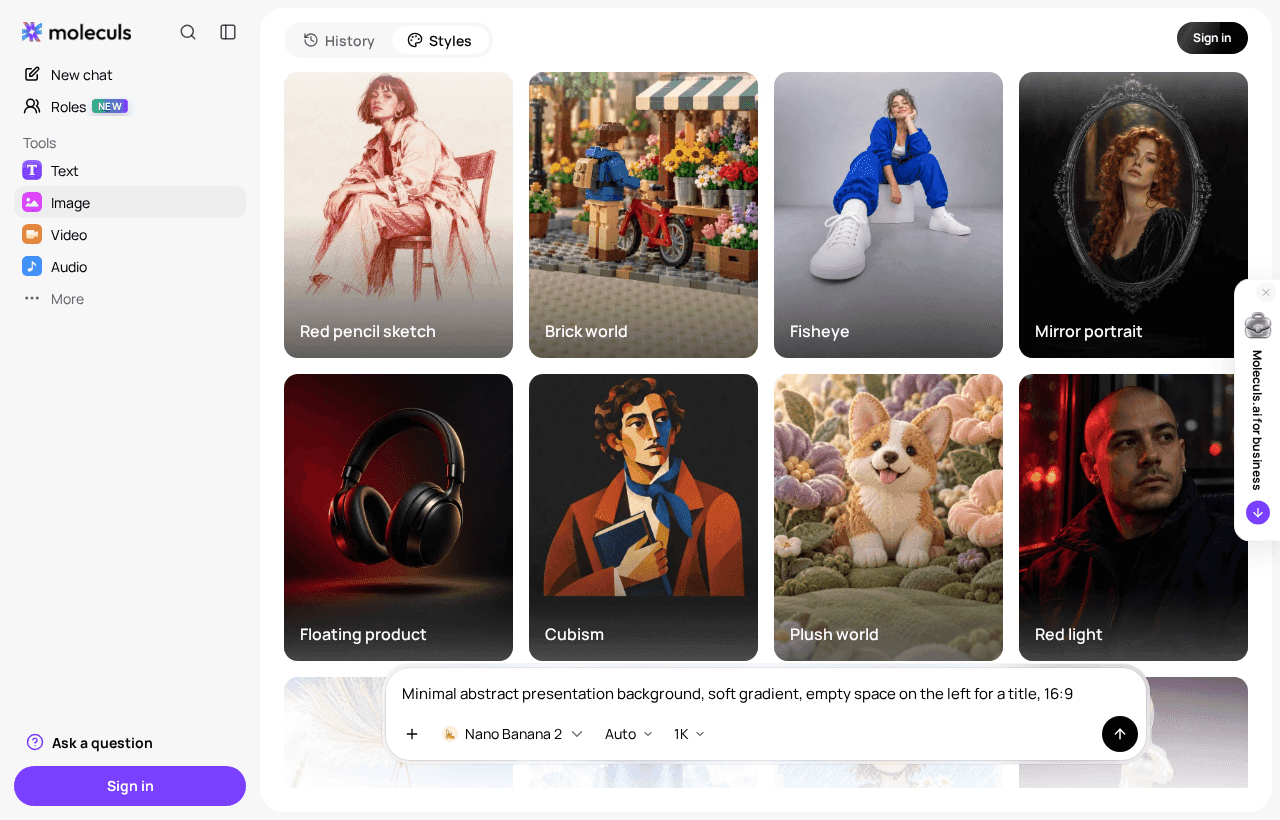
Write one style block and paste it into every image prompt without changes. That keeps the deck from looking like ten different presentations.
Style: flat minimal illustration, soft violet and grey palette,
lots of white space, no text, 16:9.
Subject: [what this slide shows]
Composition: empty area on the left third for the title.Test the style on a cheap model first. GPT Image 2.5 Flare costs 6 credits per run, so test backgrounds stay cheap. One run of Nano Banana Pro costs 64, so switch to it only once the style is settled. For short readable text on the image, such as a title card, use Ideogram v3 or Nano Banana 2. For photorealistic scenes, use Seedream v4.5. You can also generate slide backgrounds as a separate task.
Pitch deck AI: the standard slide structure and a prompt for each slide
Investor decks often run to about ten slides. Here is a one-line prompt for each one, to use once the outline is ready:
- Problem: "State the customer's pain in one plain sentence."
- Solution: "Say what the product does in one sentence, no features."
- Product: "List 3 things a user can do on day one."
- Market: "Lay out TAM, SAM and SOM using only my figures."
- Business model: "Who pays, how much, how often: one line."
- Traction: "Turn these metrics into a headline and 3 proof points."
- Competition: "Build a 2x2 on the two axes our buyer cares about."
- Team: "One line per founder: experience relevant to this problem."
- Financials: "Pick the 3 numbers an investor will ask about."
- Ask: "State the amount, the runway it buys and the milestones."
For market numbers, use Perplexity Sonar Deep Research. It does web research with cited sources and costs 8 credits per run. Open every source it gives you and confirm the page says what the model claims.
To see a full first draft, run this B2B SaaS pitch deck prompt. It asks three questions about the product before it writes anything.
Which models to use for each step
Costs as of October 2026, in Moleculs credits per run:
| Task | Model type | Model | Accepts | Cost per run, credits |
|---|---|---|---|---|
| Outline from a long document | Text | Claude Opus 5.5 | Files, images | 20 |
| Outline from video or audio | Text | Gemini 3.1 Pro | Files, images, video, audio | 12 |
| Slide copy and rewrites | Text | Claude Sonnet 5 | Files, images | 10 |
| Quick edits | Text | Claude Haiku 4.5 | Files, images | 5 |
| Market research with sources | Text | Perplexity Sonar Deep Research | Text prompt | 8 |
| Background tests | Image | GPT Image 2.5 Flare | Images | 6 |
| Visuals with text | Image | Ideogram v3 | Text prompt | 14 |
| Visuals with text, image edits | Image | Nano Banana 2 | Images, up to 10 | 21 |
| Editing an existing image | Image | Nano Banana Editor | Images | 8 |
For current costs, see the full model catalogue. Plan quotas are on the pricing page. The free plan includes 5 credits. That covers one Claude Haiku 4.5 run but not one Opus run.
Improving an existing deck: feedback, rewrites and consistency checks
Export the old deck to PDF and attach it, or attach screenshots of the slides. Then work in three passes, each with its own prompt:
1. Feedback: Rate each slide 1-5 for clarity. For anything below 4,
say what's wrong in one line. Don't rewrite yet.
2. Rewrite: Rewrite slides rated below 4. Same limits:
10-word headline, 3 bullets, 10 words each.
3. Consistency: List every number, product name and date across
all slides. Flag any that differ between slides.Keeping feedback separate from rewrites lets you reject bad advice before it becomes new copy. One limit: models read charts in screenshots less reliably than plain text, so check the results of pass 3 against your source data. The same three passes work when you improve an existing deck as a separate task.
Common mistakes: invented numbers, text-heavy slides, mismatched visual style
- Invented numbers. A model will fill a market slide with a figure that sounds right. The [NEED DATA] rule from step 1 shows you where the gaps are. Search the final deck for that marker before you present.
- Text-heavy slides. If a slide needs more than three bullets, it's two slides. Ask the model to split it instead of making the font smaller.
- Mismatched visual style. This happens when you rewrite the style block for every image. Keep the block fixed and change only the subject line.
- Typos inside images. Text generated inside an image can come out misspelled, and you can't fix it in your editor. Keep on-image text to a few words and put body text in the slide, where you can still edit it.
An image run costs 6-64 credits across the models above, so rerunning blindly adds up. Check the deck against your source before you present, as in step 5.
Frequently asked questions
Related articles
How to Generate Video with AI: A Step-by-Step Guide
A practical walkthrough of AI video generation: scene setup, prompt structure, image-to-video, camera control, sound, upscaling and the mistakes that ruin a clip.
How to Animate a Photo with AI: Image-to-Video Step by Step
A practical walkthrough of animating a still photo with image-to-video models: source image requirements, a five-line motion prompt, model choice and how to fix the usual artifacts.
How to Build Your Own AI Model: Three Realistic Paths
Three ways to get "your own" AI model, what each needs in data, hardware and time, and how to check whether an existing model already solves your task.
Corporate access to AI models
Invoice for legal entities, centralised payment, priority support
- Access to ChatGPT, Gemini, Grok, Claude and DeepSeek
- Prompt library and shared access inside the team