
 Midjourney
Midjourney
hundreds of creatives in minutes
YouTube thumbnails, product cards for marketplaces, banners, and event posters — all in one platform






 Works right in the browser
 All payment methods
Available models
Nano Banana Pro
The senior model in the Nano Banana family: maximum detail and close adherence to the brief. For final assets.
Nano Banana 2
Fast generation at decent quality. Take it when you need a lot of options quickly.
Nano Banana 2 Lite
The most economical: drafts and idea hunting, when quality comes second.
Nano Banana Editor
Edits your photo from a description: change the background, remove something, swap a detail - with no image editor.
Nano Banana
The first Nano Banana generation. Kept in the catalogue for compatibility; for new work take version 2 or Pro.
GPT Image
Renders lettering on an image neatly and follows complex briefs precisely. For covers and banners with text.
Midjourney
The most "artistic" one: strong style and atmosphere. For art and posters rather than precise diagrams.
Ideogram
Known for getting letters right: logos, signage and any image with text on it.
Flux PRO
Photorealism and convincing anatomy. Take it for shot-style images and product photography.
Seedream
ByteDance's model, with a realistic look and a good grasp of a written brief.
Grok Imagine
xAI's image generator: fast, leaning towards lively scenes and meme-ready delivery.
Topaz Image Upscale
Raises image resolution without losing detail: old photos, screenshots, small originals.
Ready-made prompts
Examples created by our users
MMargotRuns a jewellery shop I shoot the piece on my phone and build the marketplace listing here: clean background, soft light. I have never once booked a photo studio.
EElliotBlog author I make article covers in one consistent style. I used to hunt for stock images and still ended up with somebody else's - now every one is mine.
JJennyArtist I run an idea through several models and see which one understood it more interestingly. I finish the piece myself, but the search stage got many times shorter.
How to Use Midjourney for Different Image-Generation Tasks
When the designer is busy, the budget is tight, and you needed visuals yesterday - Midjourney 2 takes the work off your hands. Generate illustrations, produce variations in minutes, and switch between tasks right inside Moleculs.ai.

Product Cards
Product cards with a background, "Best Seller / Sale" badges, a value proposition, and specs in a text block.


YouTube Thumbnails
Thumbnails with automatic typography, a cut-out presenter, and A/B variants based on the video title.


Ad Creatives
Banners and creatives for social and performance campaigns (9:16, 1:1, 16:9), with automatic price/discount insertion.


Posters and Events
Posters and stories with automatic date, venue, and headliner insertion, plus 3 color variants.

Brand Packages
A series of creatives in a consistent style - for launching a product or promotion across every format.

Restyling
Turn photos into illustrations and apply the styles of well-known artists.
How Moleculs.ai Works with Midjourney

Choose your task
Decide what you're creating: a YouTube thumbnail, a product card, a banner or post, or a poster. Specify the image format - 1:1, 4:5, 9:16, or 16:9 - so the generator adapts the composition to the platform right away.
Prepare your brief
Gather everything that will help the system understand the task. Text: one headline and 2-3 short bullet points, a price or date. Images: a photo of the product or subject, a logo, a style reference (optional). Brand: primary colors and fonts. The more precise the brief, the closer the result will be to what you expect.


Run the generation
Pick a suitable preset: YouTube, Marketplace, Advertising, Poster, or Universal. Fine-tune the settings - size, background or cutout, contrast, and automatic typography. Generate 4-12 variants to choose the best one, and use batch generation for a series of creatives.

User mini-cases


 Moleculs.ai
 Other services
How to Write Prompts That Get Stronger Results from Midjourney
The secret to powerful images is in the details. Instead of general phrases, add specifics: style (cinematic, watercolor, 3D render), lighting (golden hour, neon glow, soft diffused light), mood (dramatic, cozy, futuristic), and camera angle (close-up, top-down, wide shot). The more precisely you describe the picture in your head, the closer the result will be to your vision. Describe the scene like a director, not a viewer. Instead of focusing on what's happening, focus on how it looks - textures, materials, atmosphere, and environmental detail. Midjourney 2 understands artistic terminology and references to the styles of well-known artists or films very well.
Example of a bad prompt:
"A cat sits on a windowsill"Example of a good prompt:
"A fluffy ginger cat sits on the windowsill of an old apartment; outside, a rainy evening city with blurred lights; soft, warm light from a table lamp; a cinematic atmosphere in the style of Wong Kar-wai's films."
Why Is Moleculs.ai More Convenient Than a Standalone Midjourney Subscription?
A subscription to just Midjourney 2 limits you to a single image generator, while Moleculs.ai gives you instant access to Midjourney, DALL-E 3, Stable Diffusion, Flux, and dozens of other AI models for graphics, video, text, and voice. Shared tokens let you experiment freely: send the same prompt to different models, compare the results, and pick the best one - with no switching between services and no extra subscriptions. Midjourney 2 on Moleculs.ai also works together with text-based AI (GPT-5, Claude, Gemini), which can help sharpen your prompts before generating. Need a series of images in a consistent style? Generate an image with Midjourney, then create a video from it or voice a script - all in one place, with no wasted time on integrations.
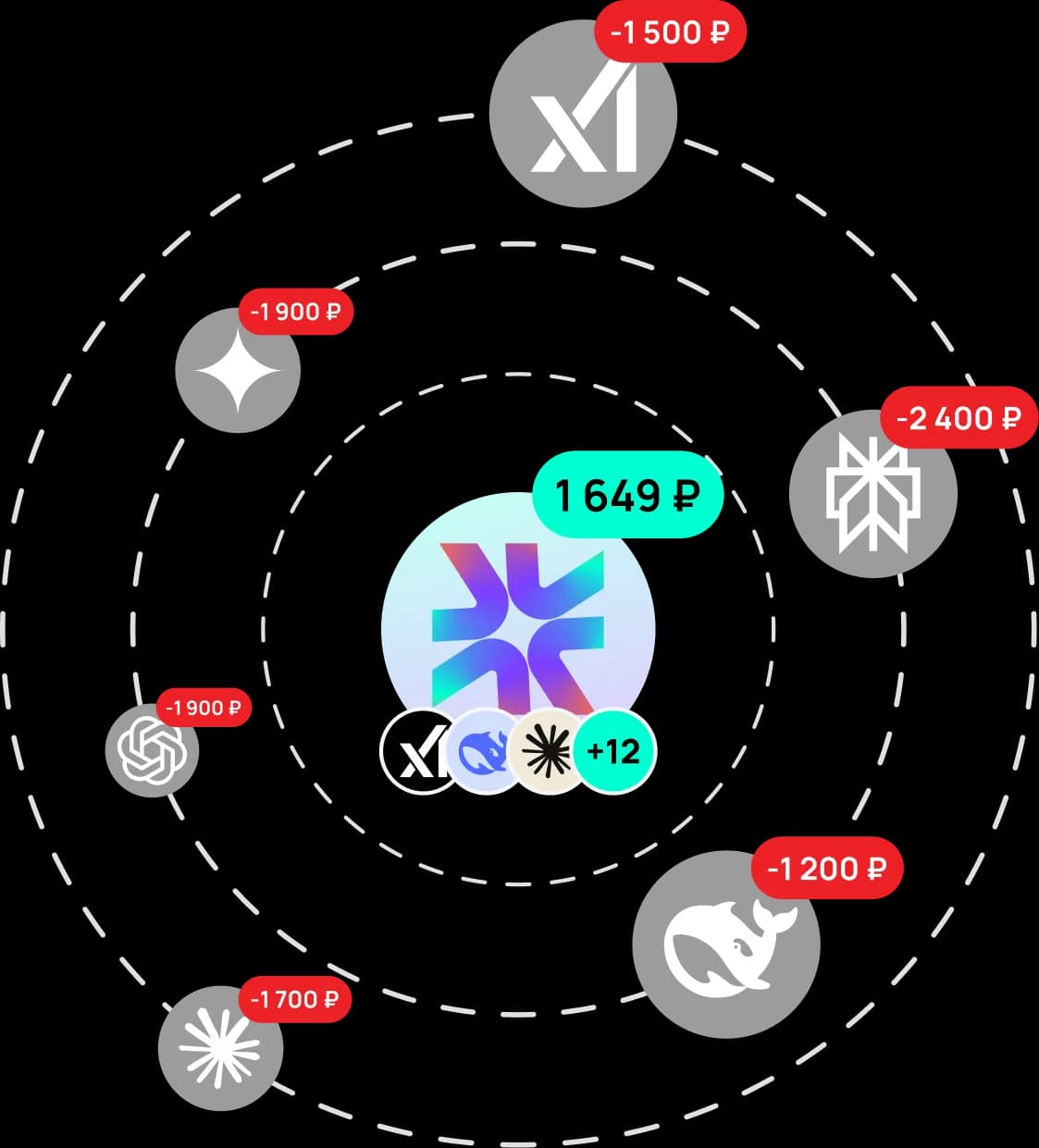
Moleculs.ai is cheaper and faster
One subscription gives you dozens of neural models, transparent limits, and ready-made presets that save time.
The platform helps you scale content, collaborate, and automate routine without extra costs. Faster, simpler, and more cost-effective than assembling tools separately.
Choose a plan for your needs
What our users say
Real reviews from our Telegram community
Answers to questions
Midjourney is an AI model for generating images from text descriptions. It lets you quickly create illustrations, art, concepts, and visual content.

Try Midjourney Right Now
Describe your idea in a single field and get an image in seconds. Midjourney 2 is ready to go right out of the box - try the free demo to see the quality of generation for yourself, from photorealistic portraits to stylized illustrations and concept art. Then subscribe to unlock not just Midjourney 2 for images, but also AI models for text, video, and voiceover - all in one dashboard, with unlimited switching between models.
Midjourney — A Tool for Fast Image Creation
Midjourney is an AI model for generating images from text descriptions. It's built for getting a visual result fast - no complex settings, no graphic editors needed. Just describe your idea in words, and the system creates a finished image in seconds.
Midjourney is most commonly used for generating illustrations, concept art, creative images, and visual ideas. The model is a great fit for digital products, marketing, design, and content where speed and clarity matter. Instead of hours of manual work, you can instantly get several visual options and pick the best one.
Midjourney is built on the standard text-to-image approach. The AI analyzes your text prompt, identifies key elements, style, and mood, then generates an image that closely matches your description. This makes results predictable and ready for immediate use.
How Image Generation Works in Midjourney
Working with Midjourney is as simple as it gets. You enter a text prompt, specify a desired style or direction, and start generation. Midjourney's AI automatically selects the composition, color palette, and visual details.
Midjourney AI handles all the technical work and delivers a ready-to-use result that you can use immediately or refine as needed.
Generation takes minimal time, which is why Midjourney is often the go-to choice for quick experiments and visual brainstorming. It's especially useful during prototyping, when you need a general direction and visual concept rather than a pixel-perfect image.
Image Generation Capabilities with Midjourney
Midjourney AI can handle a wide range of visual tasks. With this model, you can: generate images from text descriptions; create illustrations for websites, apps, and presentations; use Midjourney AI for creative tasks and visual prototyping; get results fast with zero complex setup.
This set of capabilities makes Midjourney a great fit for beginners and professionals alike who need visual assets quickly.
What Tasks Is Midjourney Best For
Midjourney can be used in a wide variety of scenarios. The model is especially useful where you need a quick visual solution without hiring a designer or spending hours on manual work.
Midjourney is most commonly used for creating images for content and social media, generating illustrations for marketing materials, visualizing ideas and concepts, and creative experimentation with images. Midjourney's free tier helps turn abstract ideas into clear visuals in just minutes.
For teams and professionals, Midjourney AI becomes an acceleration tool. Instead of discussing ideas in words, you can instantly show an image and move the project forward.
Midjourney on Moleculs.ai
Moleculs.ai is an independent aggregator that provides access to Midjourney and other image generation models in a single interface. No need to search for separate services or sign up on multiple sites. Everything is in one place.
On the platform, you get a user-friendly interface for working with Midjourney, ready-made prompts, and a simple generation workflow. Multiple payment methods are supported, along with a unified workspace for working with several models. This is especially convenient if you're comparing results and want to pick the best option.
Using Midjourney through Moleculs.ai eliminates technical hassles and third-party services. This lets you focus on what matters most - creating visual content.
Midjourney is a practical AI model for image generation that helps you quickly turn text ideas into visual solutions. Midjourney's free tier is perfect for creative tasks, prototyping, marketing, and design - and through Moleculs.ai, accessing Midjourney online is even easier. If you need a fast, straightforward tool for creating images without technical overhead, Midjourney is a great choice for everyday work and experimentation.


Midjourney is a trademark of its rights holder. Moleculs.ai is an independent aggregator platform. We provide users with a convenient interface, ready-made prompts, local payment methods, and access to the Midjourney model in one place.