
Kling AI Alternatives for Image-to-Video and Motion Control

If Kling handles your shots but costs too much per clip, stops too early, or won't move the way you want, you usually don't need a new workflow. Pick a different model for that one job. To animate a still at final quality, use Seedance 2.0 or Veo 3.1. For cheap drafts, use Hailuo 02 Standard, Grok Imagine or Wan 2.6. For long clips with sound, use Seedance 2.5.
Costs are per run on Moleculs as of November 2026. One test at the end pushes a single image through three cheap models for 195 credits, so you pick the model before you pay for a final.
Quick answer: which Kling alternative fits which job
- Animate a photo, final quality: Seedance 2.0 (image-to-video) at 200 credits uses your image as the first frame. Veo 3.1 (image-to-video) costs 350.
- Cheap drafts to check motion: Hailuo 02 Standard (42), Grok Imagine image-to-video (62), Wan 2.6 (91), Seedance 2.0 Mini (95).
- Motion guided by references: Seedance 2.0, Seedance 2.5 and Veo Omni all take multimodal references.
- Longer clips or sound: Seedance 2.5 makes up to 30 seconds with sound. Wan 2.6 goes up to 15 seconds.
- Start and end frames you choose: the catalog lists a keyframe mode only for Kling 4.0. Stay on Kling 4.0 by keyframes.
If the price of one Kling version is the problem, check the other versions first. Kling 3.0 costs 300 credits per run (Kling 3.0 model page). Kling 4.0 by references costs 171, and Kling 4.0 Flash by references costs 102.
Why people look past Kling: cost per clip, length, audio and control
Cost per clip. Kling 3.0 and Kling 3.0 (image-to-video) each cost 300 credits per run. Four attempts to get the motion right come to 1,200 credits for a single shot.
Length. Kling 2.1 Standard (image-to-video) gives you 5 or 10 seconds. A slow reveal or a product rotation can need more, and two stitched clips can show a jump at the seam.
Audio. Seedance 2.5 generates sound in the same run. With a model that doesn't, you add a separate sound step.
Control. This is the one area where Kling is often the reason to stay. Its keyframe and reference modes are covered in the section on staying on Kling, below.
Image-to-video alternatives compared: Seedance, Veo, Wan, Hailuo, Grok Imagine, HappyHorse
Seedance
Seedance has four separate entries, and they behave differently:
- Seedance 2.0 (image-to-video), 200 credits: your picture becomes the first frame.
- Seedance 2.0, 200 credits: text-to-video, image-to-video and multimodal references.
- Seedance 2.0 Mini, 95 credits: the same modes, faster and cheaper. Use it for drafts.
- Seedance 2.5, 249 credits: up to 30 seconds with sound, and it follows references closely.
For a head-to-head on the same shots, see our detailed Kling vs Seedance comparison.
Veo
Veo 3.1 (image-to-video) costs 350 credits and animates from a reference picture. The general Veo 3.1 entry does text-to-video and image-to-video and has a 1080P option. Veo Omni costs 240 credits, takes multimodal text and image input, and goes up to 4K.
Wan 2.6
Wan 2.6 (image-to-video) costs 91 credits. You get 720p or 1080p and 5, 10 or 15 seconds. Among the models here, it is the cheapest one that lists 15 seconds.
Hailuo 02 Standard
Hailuo 02 Standard (image-to-video) costs 42 credits at 512P or 768P, with 6 or 10 seconds. That resolution is low for a final, but it's enough to see whether the motion works.
Grok Imagine
Grok Imagine (image-to-video) costs 62 credits. The text-to-video version, Grok Imagine Video, costs the same. Use it as a second cheap opinion next to Hailuo.
HappyHorse
HappyHorse Image-to-Video costs 260 credits and won't run without a reference image. HappyHorse Text-to-Video costs 208 and goes up to 1080P and 15 seconds. Use the text version when you have no starting frame.
Motion control without Kling: what references and first frames can and can't do
A first frame fixes the composition, the subject and the light at second zero. After that, the model invents the motion. You can describe a path, a timing or a final pose, but you can't pin them down.
A multimodal reference, which Seedance 2.0, Seedance 2.5 and Veo Omni accept, tells the model about the look, the subject and the style. Expect the subject to look right, but don't expect it to hit a mark at second three.
Keyframes, a start frame plus an end frame with the model filling in between, are how you fix where the shot ends. In the catalog, only Kling 4.0 by keyframes is listed for this.
If you stay off Kling, try these:
- Start from a frame that's already mid-action, like a foot lifted or a door ajar.
- Describe the end state in one sentence: "ends with the cup centred, filling the frame."
- Need two distinct beats? Make two short clips, and use the last frame of the first as the first frame of the second.
To check the result, look at three things. Does the subject still look the same in the last frame? Does the camera move match the prompt? Are the hands, edges and any text free of warping?
Comparison table: mode, resolution, clip length, credits per run
| Model | Mode | Resolution | Clip length | Credits per run |
|---|---|---|---|---|
| Hailuo 02 Standard (image-to-video) | Image-to-video | 512P / 768P | 6 / 10 s | 42 |
| Kling 2.1 Standard (image-to-video) | Image-to-video | — | 5 / 10 s | 52 |
| Grok Imagine (image-to-video) | Image-to-video | — | — | 62 |
| Wan 2.6 (image-to-video) | Image-to-video | 720p / 1080p | 5 / 10 / 15 s | 91 |
| Seedance 2.0 Mini | Text/image-to-video, references | — | — | 95 |
| Seedance 2.0 (image-to-video) | Image as first frame | — | — | 200 |
| HappyHorse Text-to-Video | Text-to-video | up to 1080P | up to 15 s | 208 |
| Veo Omni | Multimodal text/image-to-video | up to 4K | — | 240 |
| Seedance 2.5 | Video with sound, references | — | up to 30 s | 249 |
| HappyHorse Image-to-Video | Image-to-video, reference required | — | — | 260 |
| Kling 3.0 (image-to-video) | Photo animation with camera motion | — | — | 300 |
| Veo 3.1 (image-to-video) | Image-to-video | — | — | 350 |
A dash means the catalog gives no figure. Prices are as of November 2026. Current numbers are in the full model catalogue with credit costs.
How to run one image through three models and compare (step by step)
- Make the frame first. Use the aspect ratio of your final video. If you don't have a photo, generate a starting frame with an image model. Nano Banana costs 8 credits, Seedream v4.5 costs 10 and Nano Banana Pro costs 23. Avoid small text and busy hands in the frame, because video models often warp them.
- Freeze one prompt. Write it once, using the template in the next section, and don't change it between models. Otherwise you're testing prompts, not models.
- Run three cheap models: Hailuo 02 Standard (42), Grok Imagine (62) and Wan 2.6 (91), 195 credits in total. Where you can pick a length, pick 10 seconds.
- Score each clip from 0 to 2 on five points: fidelity to the first frame, camera move as asked, subject still the same at the end, no artifacts, no flicker. Moleculs has no side-by-side view, so play the clips next to each other yourself.
- Decide. If a clip scores 8 or more out of 10, take that prompt to Seedance 2.0 or Veo 3.1 for the final. If none of them gets past 6, suspect the frame or the prompt before the model. Fix that before you spend 200 or more credits.
Prompting for motion: camera moves, subject action, and what to leave out
The frame already shows the scene, so the prompt only needs to describe motion. Use one line per job:
Camera: [one move + speed]
Subject: [one action, what physically moves]
Secondary motion: [steam, hair, leaves, light]
Look: [only what differs from the frame]
Length: [seconds]
Exclude: [text, cuts, extra objects]Here it is filled in:
Camera: slow dolly-in, steady, subtle handheld feel
Subject: cup stays still
Secondary motion: steam rising and curling, dust in the window light
Look: shallow depth of field
Length: 5 seconds
Exclude: no text, no cuts, no hands entering frameLeave out:
- A repeat description of the scene. The model may redraw the scene instead of animating it.
- More than one camera move. "Dolly-in then orbit" often comes out as a wobble.
- Words like "cinematic" or "epic". They don't name a movement, so the model guesses.
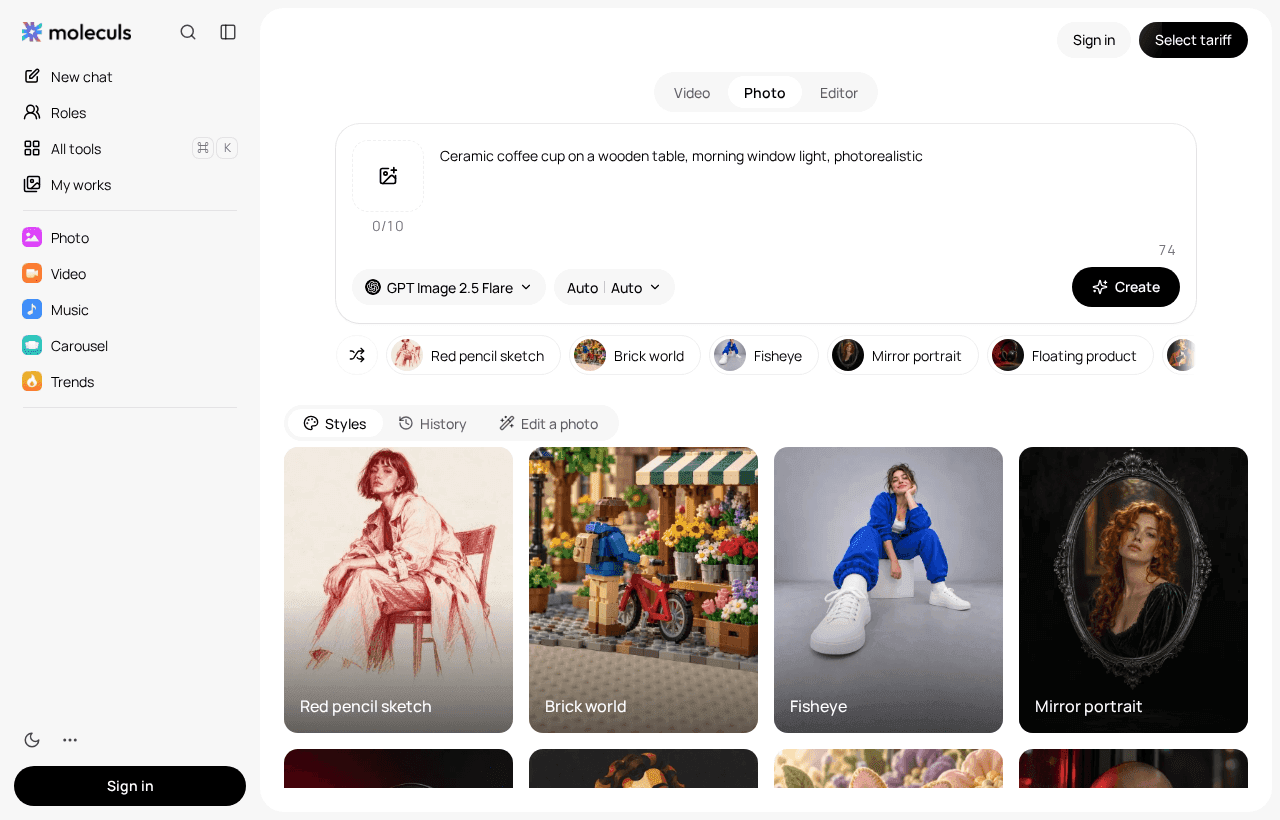
You can run the coffee cup prompt as a video request and look at the result.
When staying on Kling makes more sense: Kling 3.0 and Kling 4.0 by references and keyframes
Stay on Kling when the shot has to end in a specific place. Kling 4.0 by keyframes costs 171 credits and is the only entry here built around keyframes. Kling 4.0 by references also costs 171, and Kling 4.0 Flash by references costs 102. Use Flash for drafts before you commit to the full model.
Kling 3.0 (300 credits) does multi-shot video, element references and a 4K mode. Kling 3.0 (image-to-video) is a separate entry at the same price. Its catalog description covers photo animation with camera movement and doesn't mention multi-shot, so don't assume it has the full version's features.
Also stay if your prompts are already tuned for Kling. Moving them to another model usually means another round of drafts.
Budgeting video runs on Moleculs: cheap drafts first, then the expensive final render
As of November 2026, the smallest paid plan includes 1,000 credits a month. Here's what one shot costs:
- Draft round on three models: 195
- One final on Seedance 2.0 (image-to-video): 200, or 395 in total
- One final on Veo 3.1 instead: 350, or 545 in total
One Veo 3.1 run (350) costs more than eight Hailuo drafts (336). Two rules keep the budget in check. Don't move to a model that costs 200 or more until a draft scores 8 out of 10. Allow at most two final attempts per shot.
Topaz Video Upscale costs 1,000 credits, the whole of that small plan. Use it only on the cut that ships. Every model draws on one credit balance, and the pricing page lists plans and quotas.
Frequently asked questions
Related articles
 Images and video
Kling vs Seedance 2.0 and 2.5: Which AI Video Model to Pick
Kling 3.0, Kling 4.0 and Seedance 2.0, 2.0 Mini and 2.5 compared on clip length, sound, references, multi-shot and cost per run.
How to Animate a Photo with AI: Image-to-Video Step by Step
A practical walkthrough of animating a still photo with image-to-video models: source image requirements, a five-line motion prompt, model choice and how to fix the usual artifacts.
 Model guides
Kimi Alternatives: What to Use Instead of Kimi K3 and K2
DeepSeek, Qwen, GLM, Claude, Gemini and GPT compared with Kimi K3 and K2 by input types, credits per run and best use. Pick a swap and test it on your
Corporate access to AI models
Invoice for legal entities, centralised payment, priority support
- Access to ChatGPT, Gemini, Grok, Claude and DeepSeek
- Prompt library and shared access inside the team