
Which AI Model to Use: How to Match a Model to Your Task

Pick an AI model based on the task. Answer four questions first: what you need as output, what you're feeding in, how much a mistake would cost and how many runs you'll need. Then test one realistic prompt on a cheap model, and move up only if the result fails your checks.
The costs below come from the Moleculs model catalog as of September 2026. A fast text model costs 1 credit per run and a flagship costs up to 48, so your choice shows up in your quota quickly.
Start with the task, not the model
Answer four questions before you open the model list:
- Output. Do you need text, an image, a video or audio? This alone rules out most models.
- Input. Is it a short prompt, a 40-page PDF, ten reference photos or a voice memo? Not every model accepts every format.
- Cost of a mistake. A clumsy word in a draft post costs nothing. A missed clause in a contract costs a lot. Higher stakes justify a stronger model and a human check.
- Volume. Is it one run or five hundred? At 500 runs, 1 credit per run adds up to 500 credits, while 20 credits per run adds up to 10,000.
Write the answers as one line, for example: "text out, PDF in, high stakes, 3 runs." That line is your spec for the rest of this guide.
Text, image, video or audio
Choose the model type by the output you need. Text models answer questions, write, summarise and code. Some accept images, audio or video as input, but they always reply in text. They can describe a photo, but they can't make one.
- For a picture, use an image model.
- For a clip, use a video model: text-to-video or image-to-video.
- For music, sound effects or a transcript, use a dedicated audio model.
If a task has two outputs, split it into two runs. For example, get a script from a text model, then feed that script to a video model.
Fast vs flagship text models
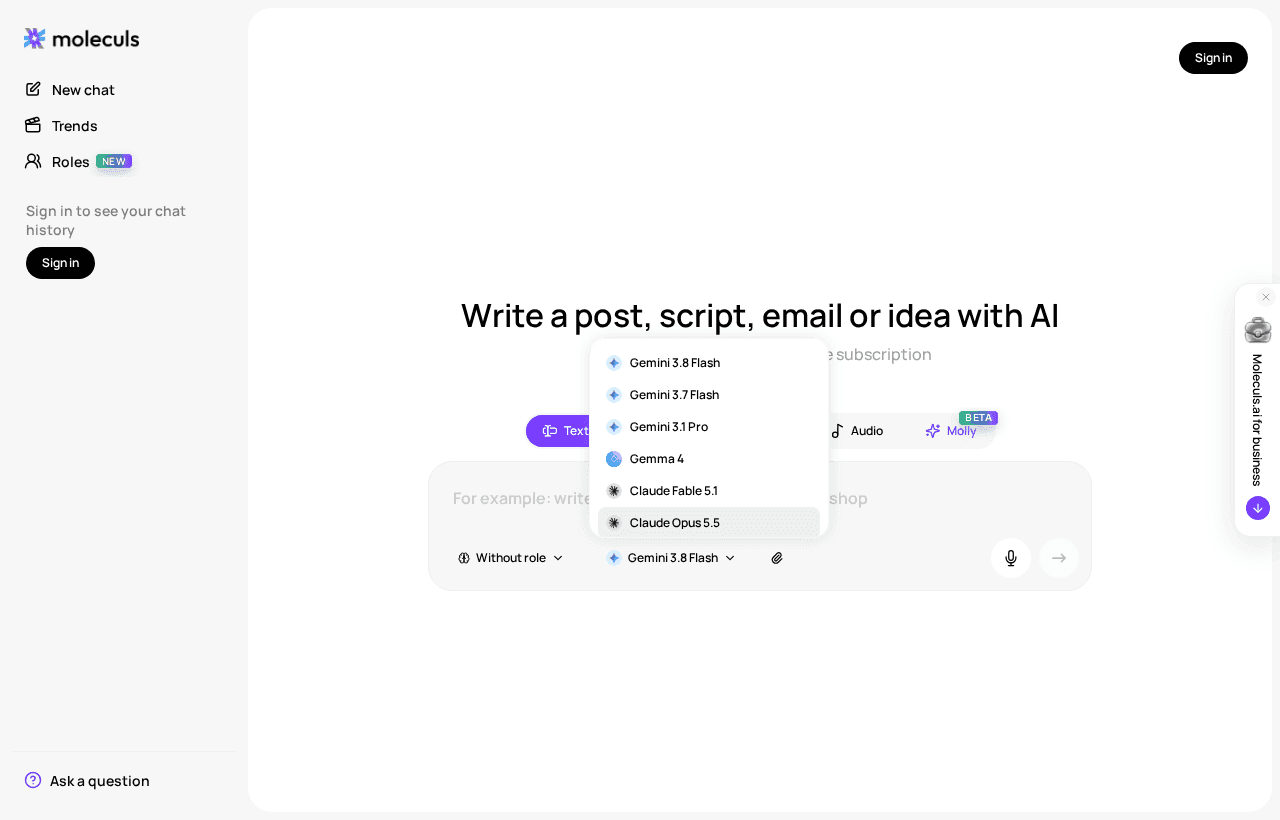
Fast models cover most everyday text work: short summaries, rewrites, emails, pulling data into a table and simple Q&A. Examples are GLM 4.7 Flash (1 credit), DeepSeek V4 Flash (1) and Gemini 3.8 Flash (2). If a person will read the output anyway, a fast model is usually enough.
Move up to a stronger model when you see one of these signs:
- the task has several reasoning steps that depend on each other;
- the answer is buried on page 30 of a long document;
- the code has to run, not just look right;
- the fast model gave a confident answer that turned out to be wrong.
The flagships are Claude Opus 5.5 (20 credits), Gemini 3.1 Pro (12) and ChatGPT 6 Astra (48). If you're choosing between the first and the last, our Claude vs ChatGPT comparison covers where each one does better. Between the two tiers are Claude Sonnet 5 (10) and Grok 4.7 (6), which is aimed at code and long context. A failed flagship run costs 12-48 credits, while a failed fast run costs 1-2. That's why you start cheap.
Check what the model accepts
If a model can't read your input, you'll get an error or an answer based on only part of it. Check two things before the first run.
Input formats. Claude Opus 5.5 and ChatGPT 6 Astra accept images and files. Gemini 3.1 Pro, Gemini 3.8 Flash and DeepSeek V4 Flash also accept audio and video. Gemma 4 and Kimi K3 accept images but not files, so they won't work for a PDF.
Images per request. The limit is between 5 and 20, depending on the model:
- 20: Claude models, such as Claude Opus 5.5 and Claude Haiku 4.5
- 16: Gemini models and Gemma 4
- 10: ChatGPT and Grok models
- 5: Llama 4 Scout, Perplexity Sonar and Midjourney
Say you have 15 screenshots of a bug. A 10-image model means two requests and a manual merge, and details get lost between them. Choose a model that takes all 15 in one request.
Tasks that need fresh facts and sources
A general chat model answers from its training data. It won't know about last week's release and may invent a plausible-looking link. For anything recent, or anything you need to cite, use a search model:
- Perplexity Sonar (2 credits): quick real-time lookups.
- Perplexity Sonar PRO (15 credits): real-time search that also accepts images.
- Perplexity Sonar Deep Research (8 credits): in-depth web research with cited sources.
Deep Research costs less per run than Sonar PRO, so try it first when you need a researched overview. With any of them, open every cited link and check that the page actually says what the model claims. A citation proves the page exists, not that it supports the claim.
Choosing an image model
First decide what the image has to get right, then pick the model:
- Photorealism: Seedream v4.5 (13 credits), with output up to 4K.
- Readable text, posters and typography: Ideogram v3 (14 credits).
- Editing an existing image from a reference: Nano Banana Editor (8 credits). For example, you can change the background and keep the product.
- Artistic styles: Midjourney (23 credits), with up to 5 reference images.
For rough drafts, GPT Image 2.5 Flare costs 6 credits. Settle the composition with cheap drafts, then make the final version with the specialised model. Image models often get long on-image text, exact brand colours and hands wrong, so check those first.
Choosing video and audio models
Video models split by what you start from. Text-to-video builds a clip from a written description. Image-to-video animates a frame you already have, which gives you much more control over how the result looks.
- Veo 3.1: text-to-video and image-to-video, with a 1080P option.
- Kling 3.0: multi-shot video, element references and a 4K mode. The separate Kling 3.0 (image-to-video) model animates a photo with camera movement.
- Seedance 2.0: text-to-video, image-to-video and multimodal references. Its image-to-video version uses your picture as the first frame.
For audio, use Suno V5 for music with vocals and ElevenLabs Speech-to-Text for transcripts that separate speakers. Topaz upscales images up to 8x and video up to 4x.
Video runs cost more than text runs, so check the price next to the model before you start. Test the motion on a short clip before you pay for a long one.
Cheat sheet
Credits per run are as of September 2026. The catalog shows current prices.
| Task | Model type | Example models | Credits per run |
|---|---|---|---|
| Email, rewrite, short summary | Fast text | GLM 4.7 Flash, DeepSeek V4 Flash, Gemini 3.8 Flash | 1-2 |
| Long document, multi-step reasoning | Flagship text | Gemini 3.1 Pro, Claude Opus 5.5, ChatGPT 6 Astra | 12-48 |
| Code | Reasoning text | Grok 4.7, Claude Opus 5.5 | 6-20 |
| Current facts with sources | Search | Perplexity Sonar, Sonar Deep Research, Sonar PRO | 2-15 |
| Photorealistic image | Image | Seedream v4.5 | 13 |
| Poster with text | Image | Ideogram v3 | 14 |
| Edit from a reference | Image-to-image | Nano Banana Editor | 8 |
| Clip from a description or photo | Video | Veo 3.1, Kling 3.0, Seedance 2.0 | see catalog |
| Music | Audio | Suno V5 | see catalog |
| Transcript | Speech-to-text | ElevenLabs Speech-to-Text | see catalog |
How to test a model on your own task
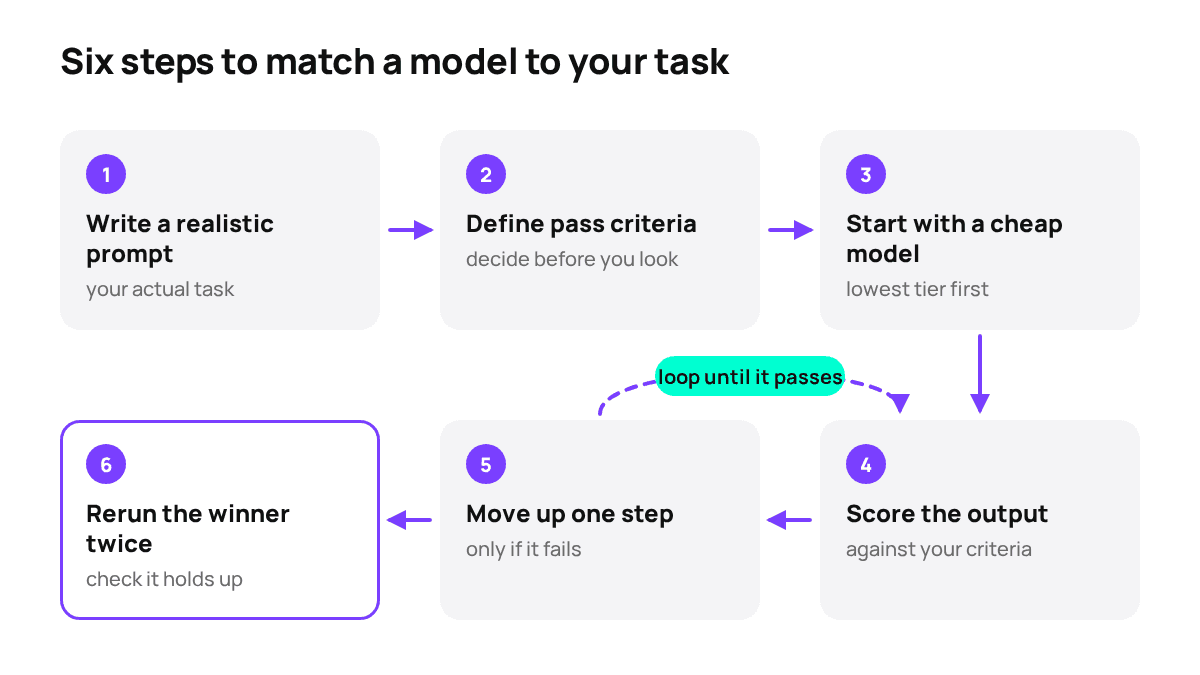
Most comparisons go wrong because the prompt changes between runs. Keep the prompt and the pass criteria the same, and change only the model.
- Write one realistic prompt. Use your actual input, not something like "write about contracts." Use this template, or adapt one from our library of AI prompts:
Role: You are a contracts reviewer for a small software company.
Task: Summarise the attached 40-page services agreement and flag clauses that create risk for us as the supplier.
Format: A 5-line summary, then a table: clause number | exact quote | risk | why it matters.
Constraints: Quote the contract word for word. If a clause is unclear, say so instead of guessing. Flag risks, don't give legal advice.- Write the pass criteria before you run anything. For this contract: every flagged clause exists at the clause number given, every quote matches the text exactly, liability, termination and payment terms are all covered, and nothing is invented.
- Run the prompt on a cheap model first. It has to accept your input format, which here is a file. Gemini 3.8 Flash, at 2 credits, is a reasonable place to start.
- Score the output against your criteria, not your impression. Count the misses.
- Move up one step only if it fails. Try Gemini 3.1 Pro next, then Claude Opus 5.5, with the same prompt and the same file. If even the flagship keeps failing on your own data, read up on how to build your own AI model before you spend more credits.
- Run the winning model twice more. Output varies between runs. If at least two out of three runs pass, that's your model.
In Moleculs, each model's price is shown next to it, so you can work out the cost of the test before you start. Even if you go all the way to Claude Opus 5.5 and rerun it twice, the whole test costs under 80 credits. That's cheaper than redoing a bad contract review. This process won't turn a model into a lawyer, though. For anything you'll sign, a person still needs to read the flagged clauses.
Not sure which model type fits your task? Send this contract-review question to a text model and compare its answer with the checklist above.
Common mistakes
- Always using the flagship. At 48 credits per run, using ChatGPT 6 Astra for routine emails drains your quota fast, and a 1-credit model would pass the same check.
- Picking a model by brand. The same vendor can offer a 1-credit model and a 48-credit one. The name tells you who made the model, not whether it fits your task.
- Ignoring input limits. If you send 12 images to a model that takes 5, or a PDF to a model that reads only images, you'll get an error or an answer based on only part of your input. Check the limits before the first run.
- Judging from one run. One good answer can be luck, and one bad answer can be a bad draw. Three runs of the same prompt tell you much more. For expensive video runs, do this on short test clips.
Frequently asked questions
Related articles
How to Build Your Own AI Model: Three Realistic Paths
Three ways to get "your own" AI model, what each needs in data, hardware and time, and how to check whether an existing model already solves your task.
 Model guides
Claude vs ChatGPT: Which One to Choose for Writing, Code and Work
We compare Claude Opus, Sonnet and Haiku with ChatGPT 5.5 and 6 on writing, code, file inputs and cost per run, so you can pick one for your own tasks.

Corporate access to AI models
Invoice for legal entities, centralised payment, priority support
- Access to ChatGPT, Gemini, Grok, Claude and DeepSeek
- Prompt library and shared access inside the team