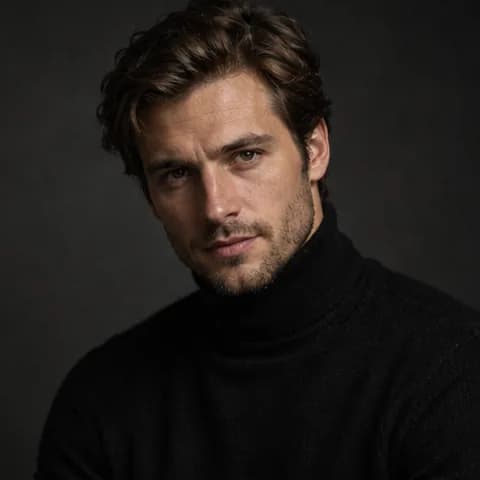
The person from the attached photo in a studio on a dark grey backdrop, Rembrandt lighting, a black turtleneck
Golden hour in a field
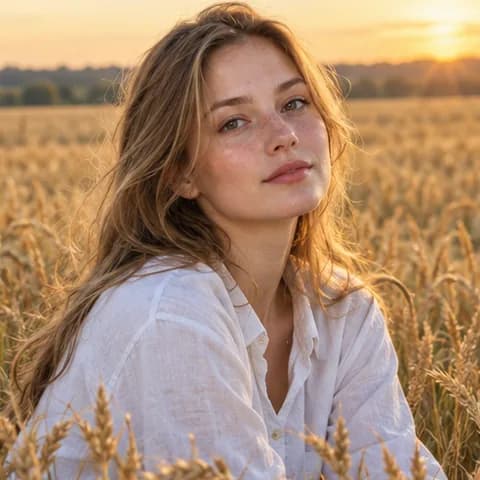
The person from the attached photo in a wheat field at golden hour, a light shirt, soft light
Business photo for a website
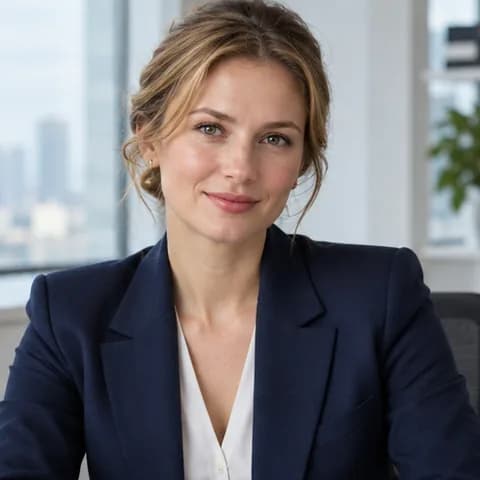
A business portrait from the attached photo: navy blazer, a bright office, a slight smile
Portrait at home
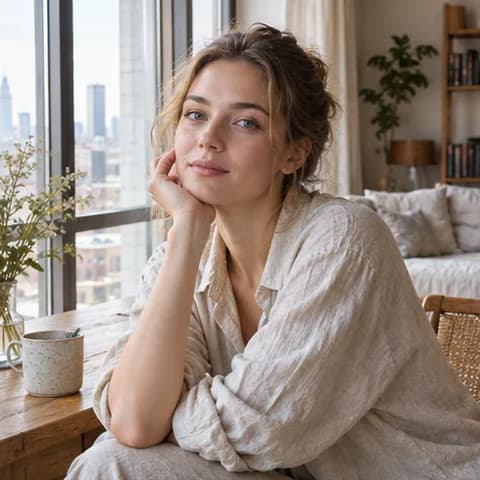
The person from the attached photo in a bright apartment by a large window, linen and wood, soft daylight
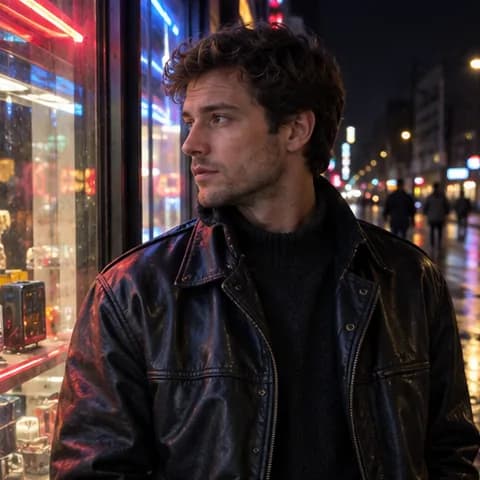
City at night
The person from the attached photo by a shop window at night, neon reflections, a leather jacket
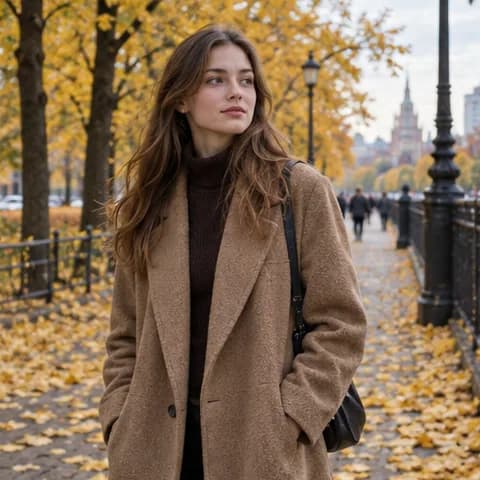
Autumn boulevard
The person from the attached photo walks along an autumn boulevard, yellow leaves, a long coat
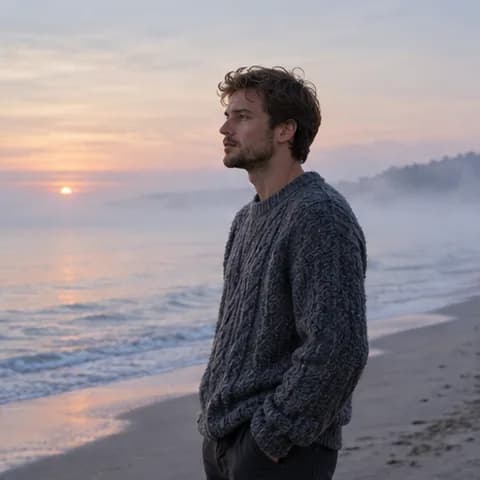
Sea at dawn
The person from the attached photo on an empty seashore at dawn, mist over the water, a sweater
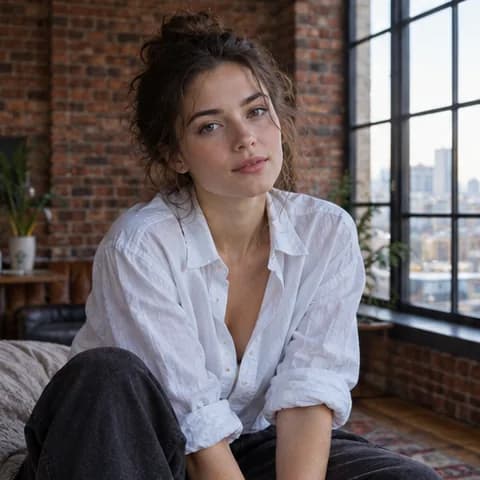
Loft and brick
The person from the attached photo in a loft: a brick wall, large windows, a loose shirt
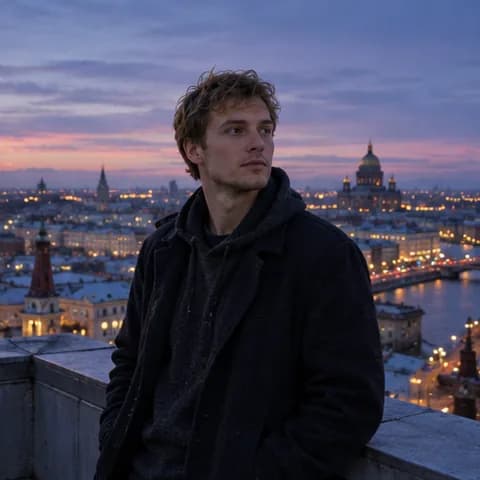
Rooftop view
The person from the attached photo on a high-rise rooftop, a city panorama at dusk
74+ models in one place
Works right in the browser
All payment methods
Ready-made prompts
Studio photoshoot
The person from the attached photo in a studio on a dark grey backdrop, Rembrandt lighting, a black turtleneck
Golden hour in a field
The person from the attached photo in a wheat field at golden hour, a light shirt, soft light
Business photo for a website
A business portrait from the attached photo: navy blazer, a bright office, a slight smile
Portrait at home
The person from the attached photo in a bright apartment by a large window, linen and wood, soft daylight
City at night
The person from the attached photo by a shop window at night, neon reflections, a leather jacket
Autumn boulevard
The person from the attached photo walks along an autumn boulevard, yellow leaves, a long coat
Sea at dawn
The person from the attached photo on an empty seashore at dawn, mist over the water, a sweater
Loft and brick
The person from the attached photo in a loft: a brick wall, large windows, a loose shirt
Rooftop view
The person from the attached photo on a high-rise rooftop, a city panorama at dusk
Examples created by our users
Why Moleculs.ai
A straightforward way to work with AI
One subscription, one payment
One balance for every model - no separate plan for each service
Works right in the browser
Nothing to install or configure - open a tab and start
Every AI model in one place
Text, images, video, and music - all under one subscription
Clear, simple interface
Plain wording throughout the product - no guesswork
Quick start
Sign up in a minute, no complicated setup - straight to work
No access restrictions
Services aren't blocked and are available anytime
What kind of photoshoots can you create?
The prompts cover everything: location, lighting, pose, outfit, and editing style — studio-quality results.
Studio
Professional lighting, backdrops, classic poses — like in a photo studio.
Outdoors
Parks, fields, bodies of water — natural light and atmosphere.
Urban
Streets, cafes, architecture — a fashionable city photoshoot.
At home
Cozy indoor photos — soft light and relaxed poses.
Themed
Retro, fantasy, Hollywood — stylized looks.
Business
Professional portraits for a resume, website, or social media.
All of it right in one window. Pick a task, write a short prompt, and get a draft you can quickly shape into your own.
How to use photoshoot prompts
Step 01
Pick a style
Studio, street, nature — choose a location that fits the mood.
Step 02
Copy the prompt
A ready-made description with the details: light, pose, clothing, background.
Step 03
Upload a face photo
The AI places your face into the generated scene.
Step 04
Download the photo
The result is a realistic, professional-quality photograph.
What our users say
Real reviews from our Telegram community
Why choose Moleculs.ai
A single access point to models from different developers
Moleculs.ai
Other services
All top models in one subscription
Works right in the browser
Professional roles and presets
Free trial period
User support
Projects for task-based work
Beta
Response language setting
with Moleculs.ai it's faster and more cost-effective
with Moleculs.ai you get dozens of models in one subscription, clear limits, and ready-made presets that save time. The tool helps you scale content, work as a team, and automate routine tasks without extra costs. All of it faster, simpler, and cheaper than piecing together separate solutions.
Choose a plan for your needs
Answers to questions
A prompt is a text instruction that tells the AI what to generate and how. The more precise and detailed the prompt, the better the result. Moleculai has a library of ready-made prompts for different tasks - text, images, code, marketing, study work. Use the ready templates or create your own. A good prompt saves time and gets you a result on the first try.
Try Moleculs.ai right now
Describe your task in a single field - get a finished result in minutes. Moleculs.ai brings together the best AI models for text, images, video, and voice in one interface. Start with a free generation, then upgrade to a subscription for a larger token limit: create text, scale your content, and switch between models without extra tools.








 Works right in the browser
 All payment methods


