
AI Document Translation: How to Translate PDFs and Pick a Tool
You have a PDF, Word file or scan in one language and need it in another. You can use three kinds of tool for this: a dedicated translator, an AI chat model or a CAT tool. For a few pages you only need to understand, a dedicated translator is enough. For a contract, manual or report you'll send on, use a chat model. You can tell it which terms to keep, what not to touch and where to flag doubts.
The workflow below is the one I use: get clean text, translate it section by section with a glossary, then check numbers and terms against the source. If your files are mostly .docx, see our notes on working with Word documents in AI. For PDFs and other formats, start with AI tools for working with files.
Translator or AI chat model: what is the difference for documents
A dedicated translator such as DeepL or Google Translate does one job: text in, text out. It needs no prompt, and some translators accept whole files and try to keep the layout. You get few controls, usually a formality setting or a glossary.
A chat model follows instructions. You can say "translate Auftragnehmer as Contractor, never Supplier", "copy clause numbers as they are" or "list every term you're unsure about". The trade-off: it works with text, so it flattens tables and styling, and on long inputs it can quietly drop or merge paragraphs.
Rule of thumb: if you only need the gist, use a translator. If someone else will read the text, use a chat model and then check its output.
Comparison: dedicated translators, AI chat models and CAT tools
| Dedicated translator | AI chat model | CAT tool | |
|---|---|---|---|
| Fits | Quick drafts, everyday text | Contracts, manuals, reports with fixed terms | Professional translators, recurring projects |
| Instructions | Language, sometimes formality and glossary | Free text: tone, terms, exclusions | Translation memory, termbase, QA rules |
| Layout | Some keep it on file upload | Text only, layout rebuilt by hand | Kept, works inside the file |
| Consistency on long files | Sentence by sentence | Good with a glossary and sections | Enforced by translation memory |
| Explains tricky passages | No | Yes | No |
How to translate a PDF with an AI model, step by step
- Try to select and copy a sentence from the PDF. If you can't, it's a scan: go to the section on scans.
- Paste the text into a plain document. Delete repeated headers, footers and page numbers, and fix sentences that break across pages.
- Split the text by headings into sections of 3-5 pages.
- Write a glossary of 10-30 key terms (prompt below).
- Send the first section and read the whole output before going on.
- Translate the rest with the same prompt and glossary, then paste the text back into the original file.
The usual mistake is attaching an 80-page PDF in one go. The output looks complete, but paragraphs near the end are shortened or missing.
Prompts that keep terminology, tone and numbers intact
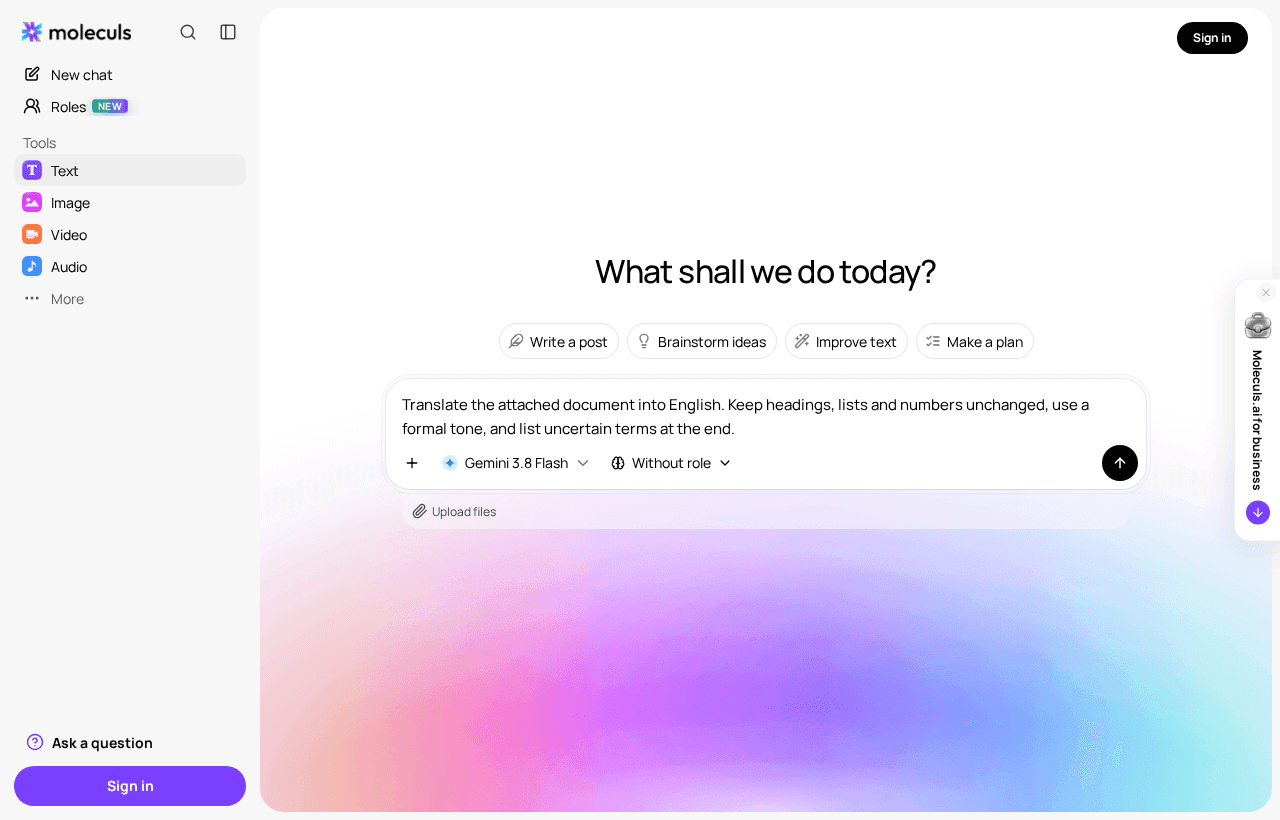
Use a fixed frame: role, task, format, tone, constraints, glossary. Here it is filled in for a German supply contract:
Role: You are a legal translator from German into English.
Task: Translate the text below in full. Do not summarise, shorten or skip anything.
Format: Keep headings, clause numbering, lists and line breaks.
Return only the translation, then a section "Uncertain terms".
Tone: Formal British legal English. Use "shall" for obligations.
Constraints:
- Copy numbers, amounts, percentages and clause references exactly.
- Write dates as "1 March 2026". Do not convert currencies or units.
- Do not translate company names, product names or addresses.
- If a sentence is ambiguous, translate it literally and add it
to "Uncertain terms" with a one-line note.
Glossary (use exactly):
- Auftragnehmer = Contractor
- Auftraggeber = Client
- Gewährleistung = warranty
- Vertragsstrafe = contractual penalty
Text:
<paste one section here>The "Uncertain terms" line matters most. It turns the model's silent guesses into a short list you can check.
After each section, send one follow-up:
Compare your translation with the source paragraph by paragraph.
List any number, date or name that differs, and any source
paragraph with no translation. Do not rewrite the text.Long documents: splitting, glossaries and keeping consistency
On long inputs, a model drifts. It renders the same term two ways or loses text towards the end. Three habits cut most of this:
- Build the glossary first. Send the whole text with: "List the 30 most important domain terms with one suggested English equivalent each. Do not translate the text." Edit the list, then paste it into every prompt.
- Split at headings, never inside a table or clause. Open each section with the same prompt and glossary, plus the last translated paragraph of the previous section.
- Add new terms to the glossary as they come up.
If the document is unfamiliar, try summarising a long document before translating it so you know the structure first. Before you send larger chunks, read how Gemini and Claude handle long documents.
Scanned PDFs and images: getting the text out first
A scan is a picture. Export the pages as PNG or JPG at a resolution where small print is readable, then upload them to a model that accepts images. Ask it to read the text first and leave translation for later:
Transcribe the text on these pages exactly as written.
Keep line breaks and table structure. Mark unreadable words
as [illegible]. Do not translate.Check the transcription against the image, digits first: 1 and 7, 3 and 8, 0 and O get confused. Then translate the checked text with the main prompt. If you transcribe and translate in one step, you can't tell a misread number from a mistranslated one. Transcription fails most often on handwriting, stamps and faint copies.
Which models to try for translation in Moleculs and what they cost in credits
Each model has its own price per run. These text models accept files and images (prices from the catalogue):
- DeepSeek V4 Pro: 2 credits
- Gemini 3.8 Flash: 2 credits
- Claude Haiku 4.5: 5 credits
- ChatGPT 6 Sol: 10 credits
- Claude Sonnet 5: 10 credits
- Gemini 3.1 Pro: 12 credits
- Claude Opus 5.5: 20 credits
For scans, check the image limit per request. Claude models take up to 20 images, Gemini up to 16 and ChatGPT up to 10. The full model catalogue shows current prices. Credits come out of your plan's quota, and the plans are listed on the pricing page.
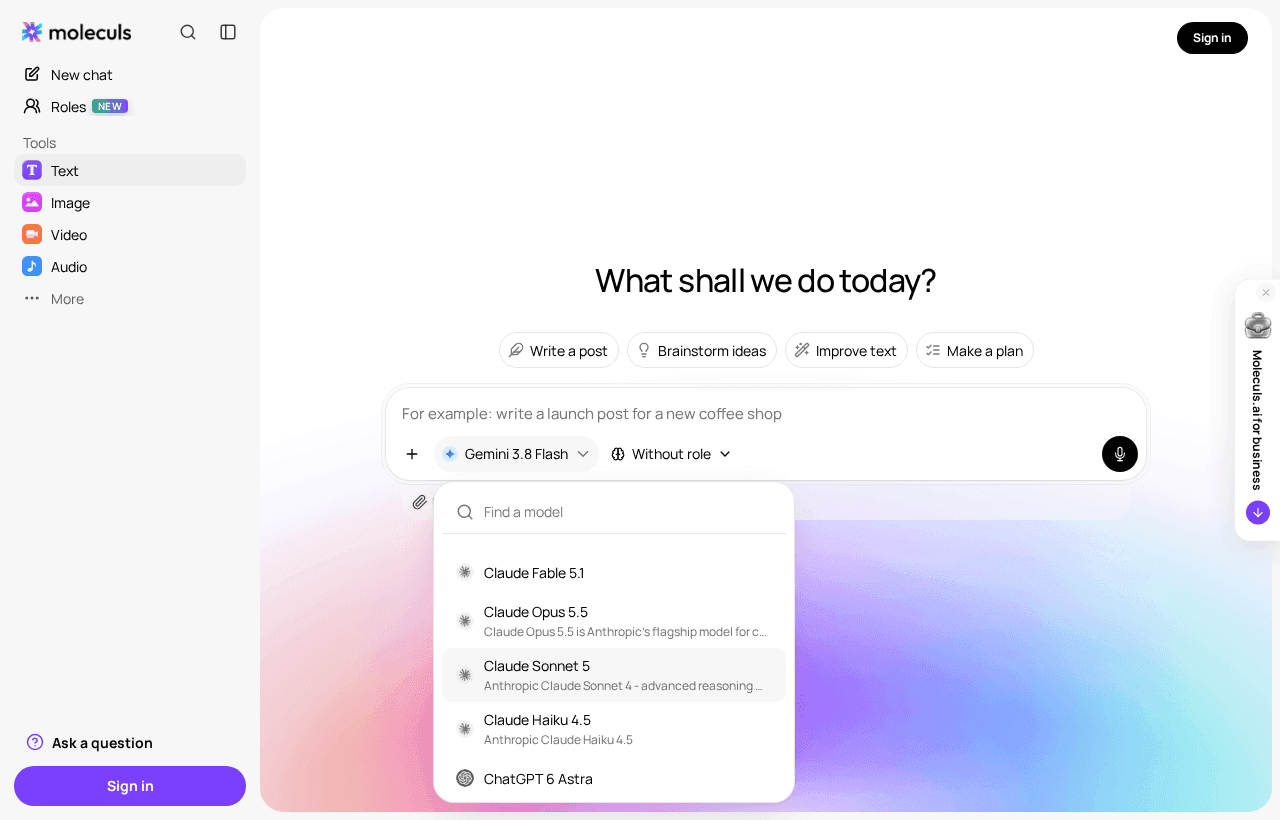
Run a test before you commit. Take the hardest page (definitions, a table, a liability clause) and run it through DeepSeek V4 Pro and Claude Sonnet 5, which is 12 credits in total. Compare glossary adherence, numbers, skipped sentences and register. If both pass, use the cheaper one. A 40-page contract in 10 sections at 10 credits is about 100 credits plus check runs. Redoing sections because you skipped the glossary adds runs on top. To get a plan for your own file, ask a text model how to split and check a 40-page contract.
How to check an AI translation before you use it
Go through this list for every section:
- Structure. Headings, paragraphs, list items and table rows match the source in number.
- Numbers. Every amount, date, percentage and clause reference from the source appears in the translation.
- Glossary. Search for each target term. Any synonym is an error.
- Negations and modals. Check "shall", "may" and "must not". A dropped "not" reverses a clause.
- Names and addresses. Copied, not translated.
- Back-translation. Have a different model translate the key clauses back, then compare the meaning.
- One cold read. Read the text without the source. Phrasing that sounds odd often hides a misread.
When AI is not enough: legal, medical and certified translations
An AI translation is a working draft. Get a qualified human translator to review it if:
- you will sign, file or publish the document;
- an authority needs a certified or sworn translation, which a translator has to sign;
- the text is medical: dosages, contraindications, patient instructions;
- an error would cost more than the review.
Check your company's rules before you upload contracts with personal data, and remove names the translation doesn't need. If you hire a translator, send them the draft along with the glossary and the "Uncertain terms" list. They'll see your term choices and know which passages to check first.
Frequently asked questions
Related articles
See all

Corporate access to AI models
Invoice for legal entities, centralised payment, priority support
- Access to ChatGPT, Gemini, Grok, Claude and DeepSeek
- Prompt library and shared access inside the team