
How to Check AI Output for Hallucinations: A Practical Routine

AI models get things wrong in a predictable way. Split the answer into separate claims. Rank them by how much damage an error would do. Check the risky ones against a source you can open yourself. Anything involving law, health or money gets a primary source, however confident the model sounds.
You don't need to know how LLMs work inside. You only need to know where they usually slip.
What a hallucination looks like
Hallucinations rarely look like nonsense. They read as smoothly as the true parts, which makes them hard to spot. In practice, you'll see four types:
- Invented facts: an event that never happened, or a feature a product doesn't have.
- Fake sources: a real-sounding paper title, a real author with an invented paper, or a working URL to a page that says something else.
- Wrong numbers: a percentage, date or price that is close to the real one but off.
- Logic gaps: every step sounds right, but the conclusion doesn't follow from them.
An AI text detector won't help you here. It tells you who probably wrote the text, not whether the text is true.
Red flags: which parts of an AI answer to check first
You can't verify every sentence, so start where errors cost the most. Scan the answer and mark:
- Every number: statistics, dates, prices, version numbers.
- Every named source: papers, laws, standards, court cases, DOIs, URLs.
- Direct quotes attributed to a person or document.
- Names of people, companies, functions and libraries.
- Vague support like "studies show" or "experts agree" with nothing specific behind it.
- Conclusions that the answer's own facts don't quite support.
Leave general explanations for last. A model is more often wrong about a specific figure than about a broad concept.
A step-by-step routine to fact-check AI output
Run it in a fresh chat, not in the conversation that produced the answer. That way the model doesn't defend what it already wrote.
- Paste the answer and ask for a list of claims (prompt below).
- Sort the list: high-stakes claims first, then numbers and sources.
- Check every source the model names: does it exist, and does it say that?
- For claims without a source, run a search-backed model or search the web yourself.
- Mark each claim as confirmed, wrong or unconfirmed. Treat unconfirmed as wrong until proven otherwise.
- Rewrite or delete everything that isn't confirmed.
Role: You are a fact-checker. You do not trust the text below.
Task: Split the text into separate factual claims, one per line.
Format: table with columns: claim | type (number, source, name, quote, reasoning) | verdict (verified, doubtful, unverifiable) | what source would confirm it.
Constraints: Do not rewrite or improve the text. If you are unsure, say "doubtful". Do not invent sources; if you cannot name a real one, write "none known".
Text:
[paste the AI answer here]You can run this prompt in a text model and paste your text after the colon. The model's verdicts are not proof. They tell you where to dig.
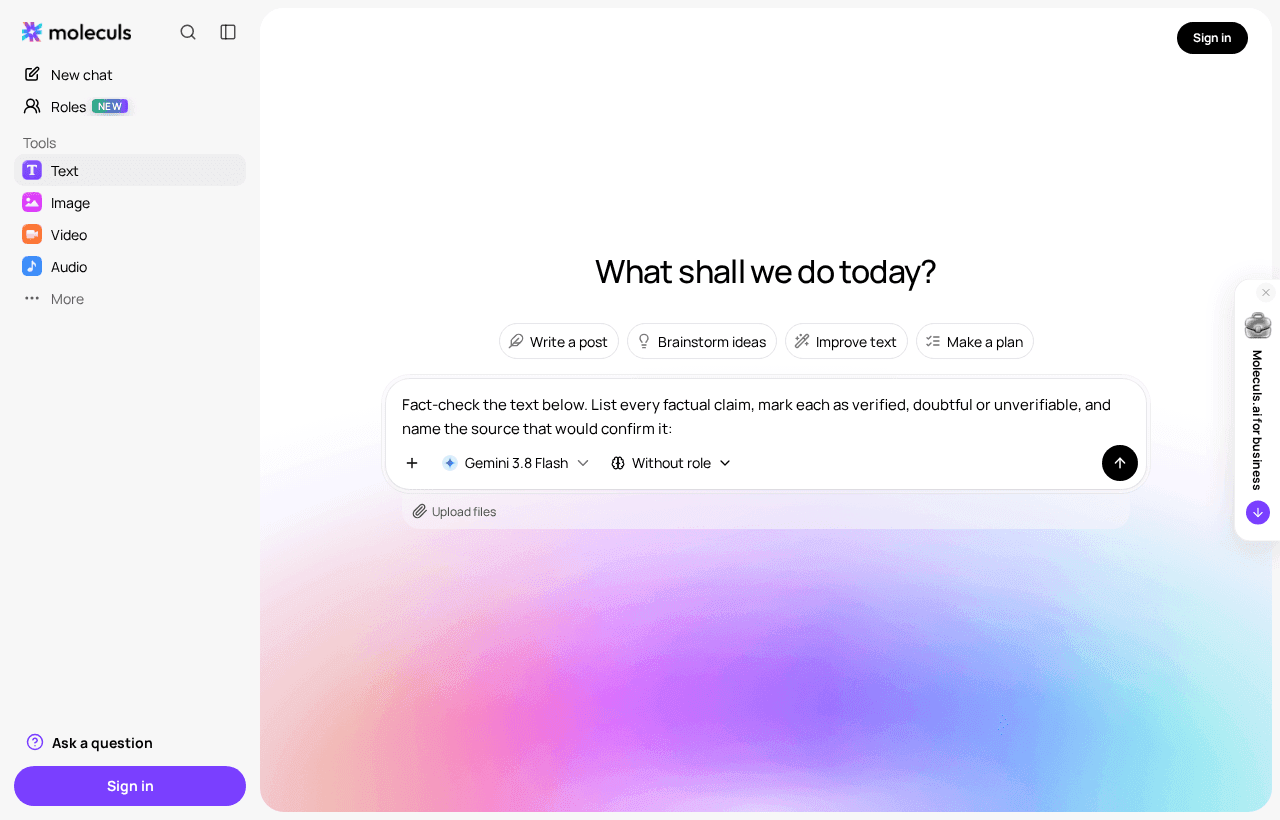
A common mistake is stopping at the model's "verified" label. Verified only counts once you've opened the source.
Check against the source: upload the document and ask for exact quotes
If the answer is about a specific document, such as a report, contract or paper, give the model the document itself. Use a model that accepts files, for example Claude Opus 5.5, Gemini 3.1 Pro or ChatGPT 6 Sol. Then force it to quote:
For each claim below, give the exact sentence from the attached document that supports it, with the page or section. If no sentence supports the claim, write "NOT IN DOCUMENT". Do not paraphrase.
Claims:
[paste the claim list]Then copy each quote and search for it in the original file. If the exact quote isn't there, flag the claim. Models sometimes "quote" a sentence they've quietly reworded, and the reworded sentence can carry the error.
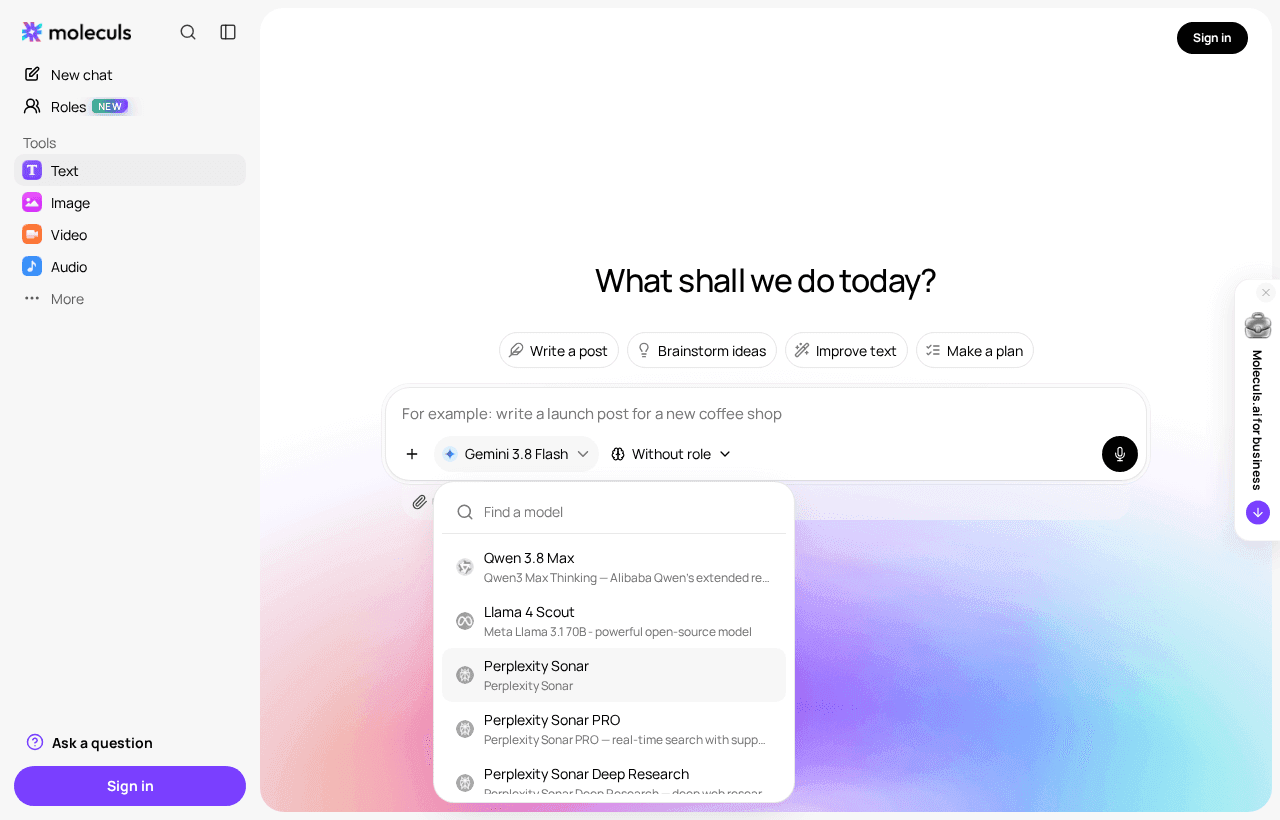
Cross-check with a second model and a search-backed model like Perplexity Sonar
A second opinion works best from a model by a different vendor. Models from the same vendor often share blind spots. Even agreement between vendors isn't proof, because they may have learned the same wrong fact from their training data.
A search-backed model is more useful because it shows links you can open. In Moleculs, as of October 2026, Perplexity Sonar costs 2 credits per run, Sonar PRO 15, and Sonar Deep Research 8. Current prices are shown next to each model. Ask it:
Verify each claim below using current web sources. For every claim, give the URL and the sentence on that page that confirms or contradicts it.Then open every URL. Search-backed models can still misread a page or link to one that says something slightly different.
Prompts that make hallucinations easier to catch
You can also cut down the checking when the answer is generated. Add these lines to your original request:
- For every number, name the source or write "no source".
- If you don't know, say "I don't know" instead of guessing.
- Mark any claim you are less than confident about with [?].
- Separate facts from your own reasoning under two headings.These lines won't stop hallucinations, but unsupported claims get labelled, so you know what to check first.
Verification methods compared
| Method | Effort | What it catches | What it misses |
|---|---|---|---|
| Self-check in a fresh chat | Low | Weak spots, vague claims | Errors the model believes in |
| Exact quotes from an uploaded document | Low-medium | Misread and invented document content | Anything outside the document |
| Second model, different vendor | Low | Some invented facts | Errors both models share |
| Search-backed model | Medium | Outdated and invented facts, fake URLs | Misquoted pages, if you don't open them |
| Primary source, read yourself | High | Almost everything | Nothing, if the source is right |
Special cases: code, contracts, statistics, images and video
Code. Run it. Check that every imported package and function exists in the official docs: invented package names and parameters are a common error. Write one test for the edge case you care about.
Contracts. Check every clause number and quote against the actual contract text. Specialised AI contract review can help you find risky clauses faster, but deadlines, penalties and jurisdiction should go to a lawyer.
Statistics. Find the original dataset or report, not a blog post that cites it. Recompute any derived figure yourself: percentages and growth rates are often calculated wrong even when the inputs are correct.
Images and video. You can check whether an image is AI-generated, or run a clip through an AI video detector. Both tell you about origin. Whether the caption, date or place is true still has to be checked separately.
When to stop checking and go straight to a primary source
Skip the AI cross-checks when:
- the claim concerns a medical dose, a legal deadline, a tax rule or a financial figure you will act on;
- you will publish the quote or number under your name;
- two rounds of checking gave conflicting results;
- a wrong answer would cost more than half an hour of reading the original.
In these cases the cheapest route is the official document, the statute, the dataset or the vendor's docs. Use AI to find where to look, then read it yourself.
Frequently asked questions

Corporate access to AI models
Invoice for legal entities, centralised payment, priority support
- Access to ChatGPT, Gemini, Grok, Claude and DeepSeek
- Prompt library and shared access inside the team