
AI Cost per Request: How Model Pricing Actually Works

There's no single price for "one AI request". The cost comes from a formula: how much text goes in, how much comes out, which model handles it, and whether the result is text, an image or a video. Change any one of these and the price moves, sometimes by an order of magnitude.
Below is that formula for token-billed APIs like OpenAI's, plus four steps for estimating your own spend. If you use a credit-based interface instead, the cost of each model per run is listed in the full model catalog with cost per run.
The short answer: "cost per request" is a formula, not a fixed number
For text models billed through an API:
cost = input_tokens × input_rate + output_tokens × output_rateRates are usually quoted per million tokens, so divide your token counts by 1,000,000 first. Images, video and audio follow a simpler formula: a price per image, per second or per track.
How API pricing works: input tokens, output tokens, and a rate for each
A token is a chunk of text, often part of a word. In English, one token is roughly three-quarters of a word, so 1,000 words come to around 1,300 tokens. Code and most other languages use more tokens per word.
Input tokens are everything you send: system instructions, conversation history, pasted documents and the question itself. History is where people get caught out. A chat app resends earlier turns with every new message, so the tenth message in a thread costs more than the first, even if it's one line.
Output tokens are what the model writes back. Providers almost always charge more per output token than per input token, often several times more. So a short prompt with a long answer can cost more than a long prompt with a short answer.
How the ChatGPT API is priced: model tiers, token rates, and where to find current prices
OpenAI prices its API per model. Small, fast models sit at the bottom of the list. Flagship and reasoning models sit at the top, and the gap between them is wide. Each model has its own input and output rate. Some also have a lower rate for cached input, meaning a repeated prompt prefix the system has already processed.
Rates change whenever new models come out, so don't copy numbers from blog posts. Get the current rates from OpenAI's official pricing page on the day you do the maths. Beyond the main rates, check two things:
- whether the model bills its hidden reasoning tokens as output;
- whether a discounted batch mode exists for jobs that don't need an instant answer.
What makes one request cost more than another
Model size. The same prompt sent to a flagship model and to a small one can differ in price by ten times or more.
Prompt length. Long system prompts, pasted documents and chat history are all input tokens, and you pay for them on every request.
Long answers. "Explain in detail" can easily triple the output. Ask for the length you actually need.
Reasoning mode. Reasoning models work through the problem before they answer. Those internal tokens are usually billed as output, even though you never see them.
Attachments. Images get converted to tokens, and a high-resolution image can take hundreds or thousands of them. PDFs are turned into text and billed as input.
Images, video and audio: priced per output, not per word
Image models usually charge per image, and a higher resolution or quality setting costs more. Prompt length barely matters. Video is billed per clip or per second and scales with resolution, so on the same model a 10-second 1080p clip costs more than a 5-second 720p one. Music and speech are usually billed per track, per minute or per character of source text.
With media, the expensive mistake is a failed generation, because you pay full price for every retry. Get the prompt right before you generate. Start with how to write prompts that get it right the first time, and for clips, read how AI video generation works.
How to estimate your cost per request in four steps
- Measure real tokens. Take 5-10 real requests with the full system prompt and history included, and include at least one long conversation, not just opening messages. Read the token counts from the usage field of the API response. Don't guess by eye, because it's easy to forget the hidden parts.
- Take the median. Work out typical input and output sizes, then add 20-30% headroom for retries and unusually long answers.
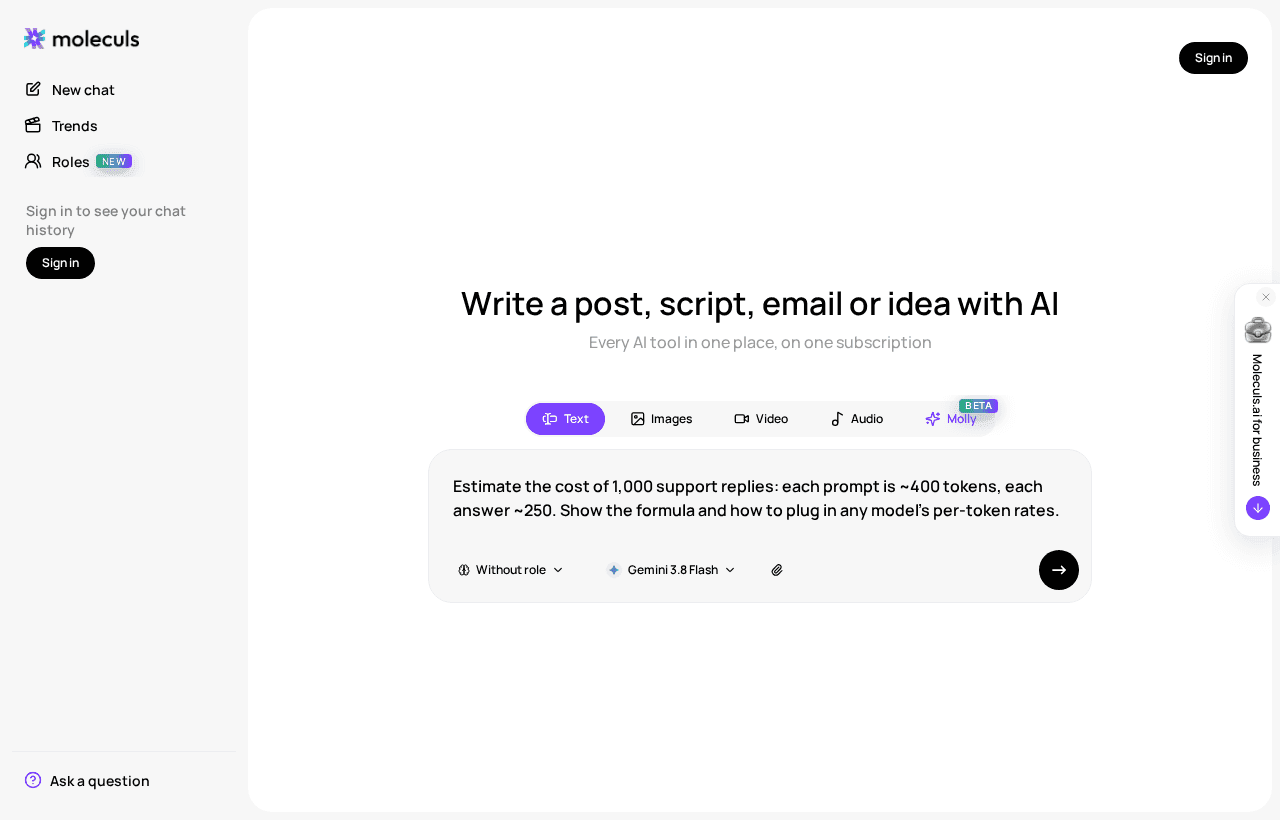
- Plug in current rates. For 1,000 support replies at about 400 tokens in and 250 out:
input: 1,000 × 400 = 400,000 tokens = 0.40M × input_rate
output: 1,000 × 250 = 250,000 tokens = 0.25M × output_rate
total for 1,000 replies = 0.40 × input_rate + 0.25 × output_rate- Compare two or three models on quality. Run the same 10 requests through the cheaper model and check each answer: facts are right, format is followed, nothing needs rewriting. If it passes 9 out of 10, you're really saving money. If not, fixing its answers will cost more than the tokens you save.
You can also have a model do the maths. Here's a template to copy:
Role: You are a cost analyst for LLM API usage.
Task: Estimate the monthly cost of [1,000] support replies.
Inputs: average prompt [400] tokens incl. system prompt and history;
average answer [250] tokens; input rate [$X] and output rate [$Y] per 1M tokens.
Format: formula first, then a table: per request, per 1,000, per month at [30,000].
Constraints: add 25% headroom for retries; if a rate is missing, keep it as a variable.To see how it works, run the ready-made estimate prompt, then swap in your own numbers.
Pay-per-token API vs. a subscription with credits: which fits your volume
Pay-per-token suits you if your code sends the requests: pipelines, bots, batch processing. The bill tracks usage exactly, and that cuts both ways. A retry loop bug shows up straight on the invoice, so set a spending limit with the vendor.
A subscription with credits suits you if a person types each request: writing, analysis, images by hand. You get a predictable monthly budget and models from several vendors without separate accounts. The catch is that it's a manual tool. It won't replace a vendor API for automation.
Quick test: code sends the requests, use the API. A person sends them, credits are usually simpler to budget.
What a request costs in Moleculs: credits per run, from the cheapest text models to premium image models
Here the unit is the credit. Each model has its own cost per run, shown in the catalog and next to the model in the interface. Your quota refreshes each billing period, and the free plan comes with 5 credits. Sample prices as of September 2026:
| Model | Type | Credits per run |
|---|---|---|
| DeepSeek V4 Flash, Gemma 4, GLM 4.7 Flash | text | 1 |
| Claude Haiku 4.5 | text | 5 |
| Claude Sonnet 5 | text | 10 |
| Claude Opus 5.5 | text | 20 |
| ChatGPT-5.5 | text | 28 |
| Claude Fable 5.1, ChatGPT 6 Astra | text | 48 |
| GPT Image 2.5 Flare | image | 6 |
| Seedream v4.5 | image | 13 |
| Midjourney | image | 23 |
| Nano Banana Pro | image | 64 |
| ChatGPT Image 2 | image | 67 |
The range is wide. One run on Claude Fable 5.1 costs as much as 48 runs on DeepSeek V4 Flash. A failed image on ChatGPT Image 2 costs 67 credits, while the same test on GPT Image 2.5 Flare costs 6. Video and audio models are generally more expensive than text, so check the catalog for their current cost per run.
A practical order: get the wording right in the AI text generator on a cheap model, and switch to a premium one only for the final answer. For images, test the composition on a low-cost model in the AI photo generator, then render the final version on the model you really want.
How to cut cost per request without losing quality
- Start small, move up only when needed. Use a cheap model by default and switch to a bigger one only if the answer fails your checklist from step 4.
- Cap the output. Add "Answer in under 120 words" or a bullet limit. On the API, also set a maximum output length.
- Trim context. Start a new chat when the topic changes. For long threads, ask for a short summary and continue from there.
- Keep the prompt prefix stable. On APIs with prompt caching, a repeated prefix is billed at the lower cached rate.
- Skip reasoning for simple tasks. Reformatting, translating and short factual questions don't need a reasoning model.
- Fix the prompt, don't reroll. If two image attempts miss, rewrite the description. A third blind attempt costs the same and usually misses the same way.
Cheap models stop paying off on long legal analysis, complex code and multi-step reasoning. There a cheap model saves on the run but costs you more in rewrites, so pay for the stronger model from the start.
Frequently asked questions
Related articles
 AI explained
What Is an AI Aggregator and When Do You Actually Need One?
How an AI aggregator gives you text, image, video and audio models in one subscription, what it can't do, and a simple test to see if you need one.
 Model guides
Which AI Model to Use: How to Match a Model to Your Task
Text, image, video or audio? Fast or flagship? A step-by-step way to choose an AI model by output, inputs, stakes and cost per run, with a cheat sheet.
What Is a Neural Network in Plain Words and How It Works
A plain-language walkthrough of what a neural network is, how it learns, why it invents facts, and a short experiment you can run on a text model yourself.

Corporate access to AI models
Invoice for legal entities, centralised payment, priority support
- Access to ChatGPT, Gemini, Grok, Claude and DeepSeek
- Prompt library and shared access inside the team